Tornado for AutoCAD: DWG Scanning & Auditing
Know what is wrong with your drawings, in batch
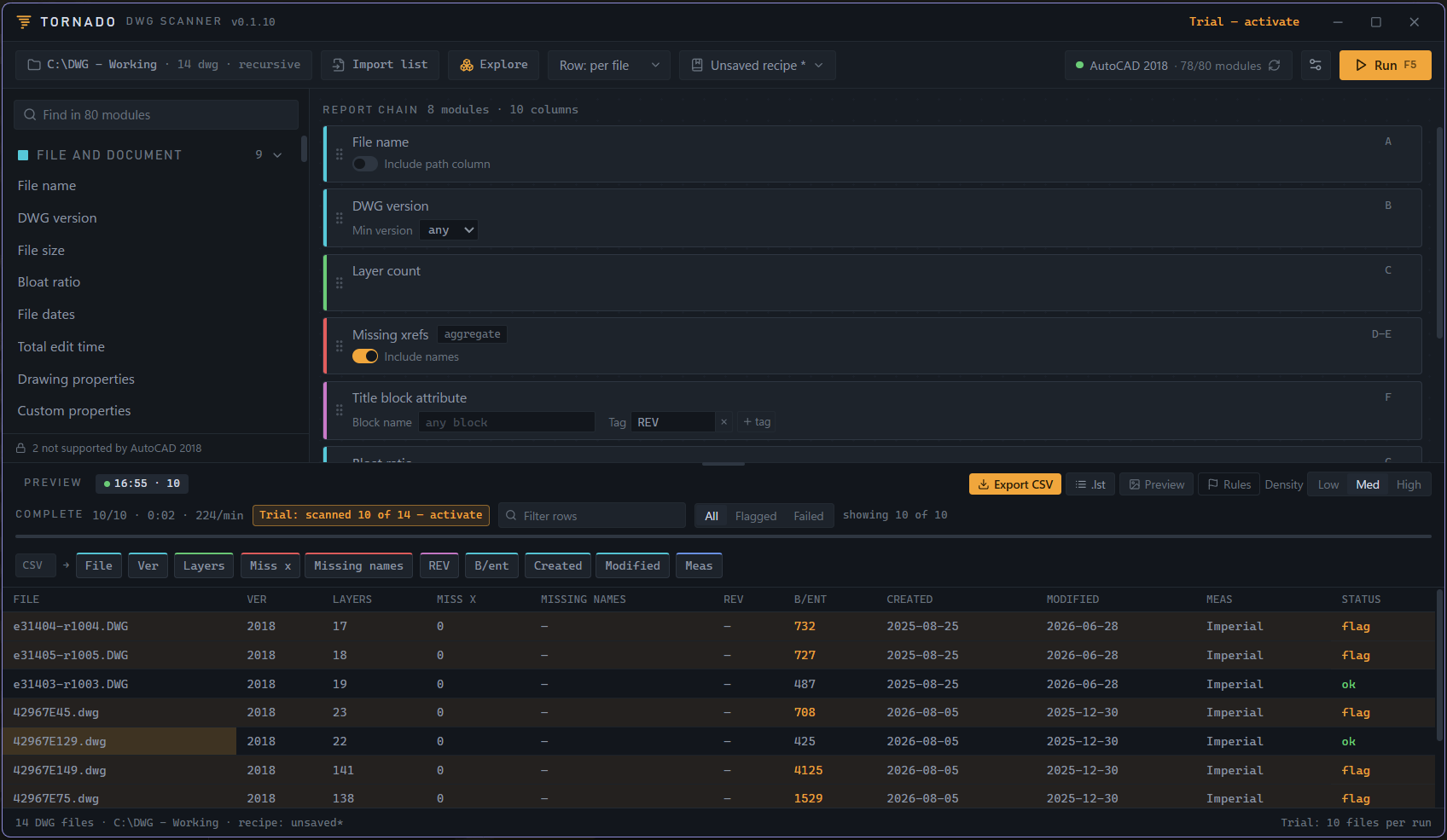
Tornado DWG Scanner reads whole folders of AutoCAD drawings and hands you a spreadsheet-style report in minutes: standards violations, layer and block problems, xref health, purge candidates, title-block data, and more. No opening files one by one.
One-time license. Free trial with no time limit. Runs on AutoCAD 2018 or newer.
From the makers of Hurricane, trusted by AutoCAD professionals worldwide for over 20 years.
Hurricane changes drawings. Tornado reports on them.
Tornado is the sister tool to Hurricane, the batch script generator CAD teams have trusted since 2003. Where Hurricane makes changes across a whole drawing set, Tornado audits it: point it at a tree, filter to the problem drawings, and export the list. Load that list into Hurricane's Queue to fix them, then re-run Tornado to confirm the fixes cleared. The lists hand off both ways automatically.
Build your own report
Drag the checks you care about into a report chain and save it as a reusable recipe. Close to 80 checks across 12 categories, tailored to what your AutoCAD install supports.
Enforce your standards
Set the expected value and a plain report becomes pass or fail: flag any drawing whose units, LTSCALE, DIMSCALE, plot style, current layer, or version is off standard.
Results you can act on
Sort and filter, click a row to open or reveal the drawing, see its preview, and export to Excel with the flag colors intact, or to CSV or JSON.