

Hurricane is a Windows desktop tool that generates and runs AutoCAD batch scripts - letting architects, engineers, and CAD teams batch plot, batch edit, update title blocks, rename DWG files, and automate dozens of other repetitive tasks across hundreds of drawings in 3 clicks or less. Compatible with AutoCAD 2026, AutoCAD LT, BricsCAD, IntelliCAD, and DraftSight. Trusted by professionals since 2003. Last updated: October 2026.
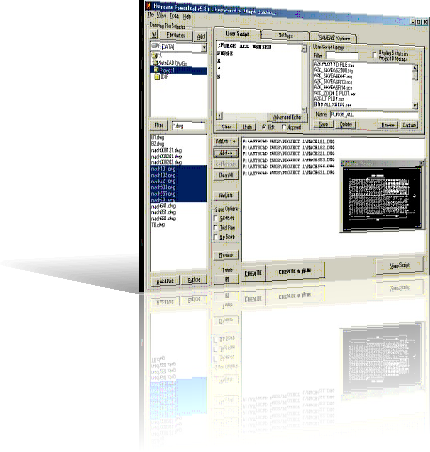
How to Batch Process AutoCAD Drawings in 3 Steps
Select Your Drawings
Drag and drop a folder, or point Hurricane at your DWG file list. Process 1 drawing or 10,000 - same steps either way.
Choose or Build a Script
Pick from the built-in wizard library - batch plot, title block update, purge, search & replace - or record your own commands with Command Capture.
Run & Walk Away
Click Create & Run. Hurricane drives AutoCAD automatically - opening, processing, and saving every drawing. Schedule a Night Run to process while you sleep.
Run a Script or LISP Routine on Hundreds of Drawings
AutoCAD's SCRIPT command runs a script file (.scr) on the one drawing you have open. Hurricane runs your script on every drawing in a list: it opens each DWG, runs the script, saves, closes, logs the result and moves on to the next file. Anything you can type at the AutoCAD command line can go in the script, including AutoLISP routines.
; Example batch script, run on every drawing
FILEDIA 0
(load "MyRoutine.lsp")
MYROUTINE
-PURGE A * N
ZOOM E- Your own .scr files, commands recorded with Command Capture, or a built-in wizard as a starting point.
- AutoLISP routines on every drawing (full AutoCAD, or AutoCAD LT 2024 and later). Example: delete a block from every drawing.
- Unattended batch processing: schedule a Night Run and process thousands of drawings overnight.
- Script-safe commands: check any command in the AutoCAD Commands List before you script it.
★★★★★
"This is an awesome program! I use the batch plotting, file renamer, and titleblock program all the time. The payback is almost immediate."
- Steve Niswonger, Rock Tool & Die
★★★★★
"I have never before purchased a product that paid for itself in less than an hour. Sweet."
- Gilbert L., Hot4Cad
Hurricane interface preview


Trusted by engineers & CAD teams at













What You Can Automate in AutoCAD with Hurricane
Batch scripts, your way
Write your own .scr, record commands with Command Capture, or start from a built-in wizard.
Wizards for the common jobs
Title-block update, purge, search and replace text, page setups and more.
Batch plot and PDF
Plot or export whole drawing sets in one run. How it works.
Rename DWG files
Renumber, prefix or replace text in hundreds of file names at once. See examples.
Night Run
Schedule a Night Run and come back to a finished batch in the morning.
Stays out of your way
Plain text files, no database, no changes to AutoCAD settings. Works with AutoCAD Electrical .WDP projects, BricsCAD, IntelliCAD and DraftSight.
See every feature → · Free reference: AutoCAD Commands List and System Variables List
Simple, One-Time Pricing
No subscription. No recurring fees. Buy once, use forever. Independent since 2003. Why one-time? →
Single Seat
For individual CAD professionals
Perpetual license · Free updates · No subscription
- ✓ Full Hurricane feature set
- ✓ Free updates
- ✓ Support straight from the developer (email, phone, forum)
- ✓ PC, username, or USB key license
- ✓ Most users recoup the cost in their first session
USB Portable
License lives on your USB stick
Perpetual license · Free updates · No subscription
- ✓ Everything in Single Seat
- ✓ Hurricane runs from the USB drive
- ✓ Use on any PC - no installation
- ✓ License tied to the USB stick, not the PC
See how fast Hurricane pays for itself - try the ROI Calculator →
Not sure yet? Download Free Trial - No Time Limit - no credit card required.
AutoCAD Automation Guides
All AutoCAD automation guides → · Hurricane vs. other batch tools →
I wrote Hurricane for myself, on a dare. It has been on sale since 2003, and I still write every update and answer the support email myself. If you get stuck, you will be talking to me.
Founder, 74mph Solutions
AutoCAD Batch Scripting FAQ
What is Hurricane?
Hurricane is an AutoCAD batch script generator and productivity tool. It automates repetitive tasks like batch editing, batch plotting, title block updates, and DWG file management. You can batch edit hundreds of AutoCAD drawings in 3 clicks or less.
Which AutoCAD versions does Hurricane support?
Hurricane is compatible with AutoCAD 2026 and all prior versions, including AutoCAD LT. It also works with BricsCAD, IntelliCAD, and DraftSight.
What can I automate with Hurricane?
Hurricane automates batch editing, batch plotting, title block updates, purge operations, search and replace text, DWG batch renaming, and more. Built-in wizards include Title-Block Update, Purge, Search and Replace Text, and PageSetup. See the Hurricane batch edit and batch plot FAQ for more.
How do I run a script on multiple AutoCAD drawings?
AutoCAD's SCRIPT command only runs a .scr file on the current drawing. Hurricane runs the same script on a whole list of drawings: add the DWG files or a folder, pick or paste your script, and click Create & Run. Hurricane opens each drawing, runs the script, saves and closes it, then moves to the next.
Can Hurricane run AutoLISP routines on many drawings?
Yes. Load the routine in your script with (load "MyRoutine.lsp"), then call it on the next line. Hurricane runs it on every drawing in the list. LISP needs full AutoCAD, or AutoCAD LT 2024 and later.
How quickly does Hurricane pay for itself?
Most users recoup the cost in their first session. One user saved over 50 hours on a single job processing 1,500 drawings. At typical CAD rates, that's thousands of dollars in time savings from a single afternoon of setup.
Who makes Hurricane?
74mph Solutions, an independent developer. The same person has built and supported Hurricane since 2003 and still answers the support email personally.