 Hurricane for Autodesk® AutoCAD®
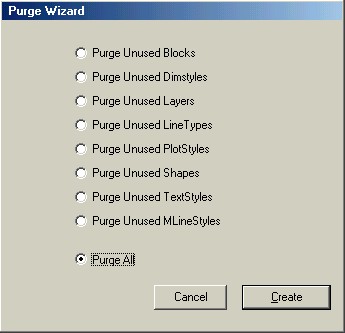
Found under the Hurricane "Wizards" menu:
This should be pretty self-explanatory.
Just select what you want to purge, and press CREATE. The appropriate purge commands are added to the user-script window, and you are ready to run this script across your drawings.
Block still there after purging? How to Delete a Block in AutoCAD explains what keeps a block definition in the drawing and how to clear it.