Hurricane for Autodesk® AutoCAD®
Hurricane for Autodesk® AutoCAD®
Hurricane for Autodesk® AutoCAD®
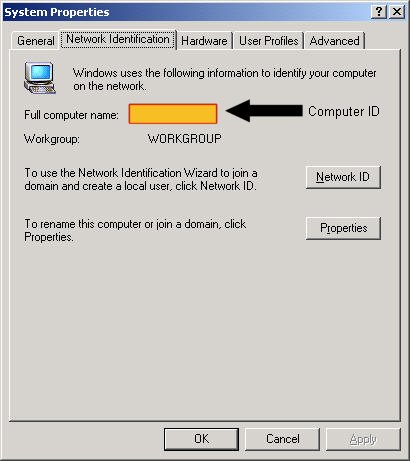
hostname (or echo %COMPUTERNAME%). The same screen also shows a "Device ID"; Hurricane uses the Device name, not the Device ID.Your Computer ID can be found by RIGHT-Clicking on your "My Computer" icon on your desktop, then clicking on "Properties".
Clicking on the "Network" Tab, you should see something like this...
Your computer name can be changed, typically by an "administrator". So after you upgrade your PC, you may want to make sure that your "new" computer has the SAME Network ID as the last one (if possible).
If you would rather lock Hurricane to your Computers ID, or to a USB Flash Drive then please see How do I retrieve Hurricane's .DMO file (serial number)?
Also, please see Admin Tool.